 Culler
Go through the card before you import it.
Culler is a Mac app for clearing out a camera card. Arrow through your photos and videos, press X on the ones you don't want, delete them in one go, and copy the keepers to your Mac.



Four steps, mostly one key
Culler reads straight from the card, so there is nothing to import first. Photos you never wanted don't reach your library at all.
Insert the card
It opens on its own. Any folder works too, with ⌘O.
Go through your shots
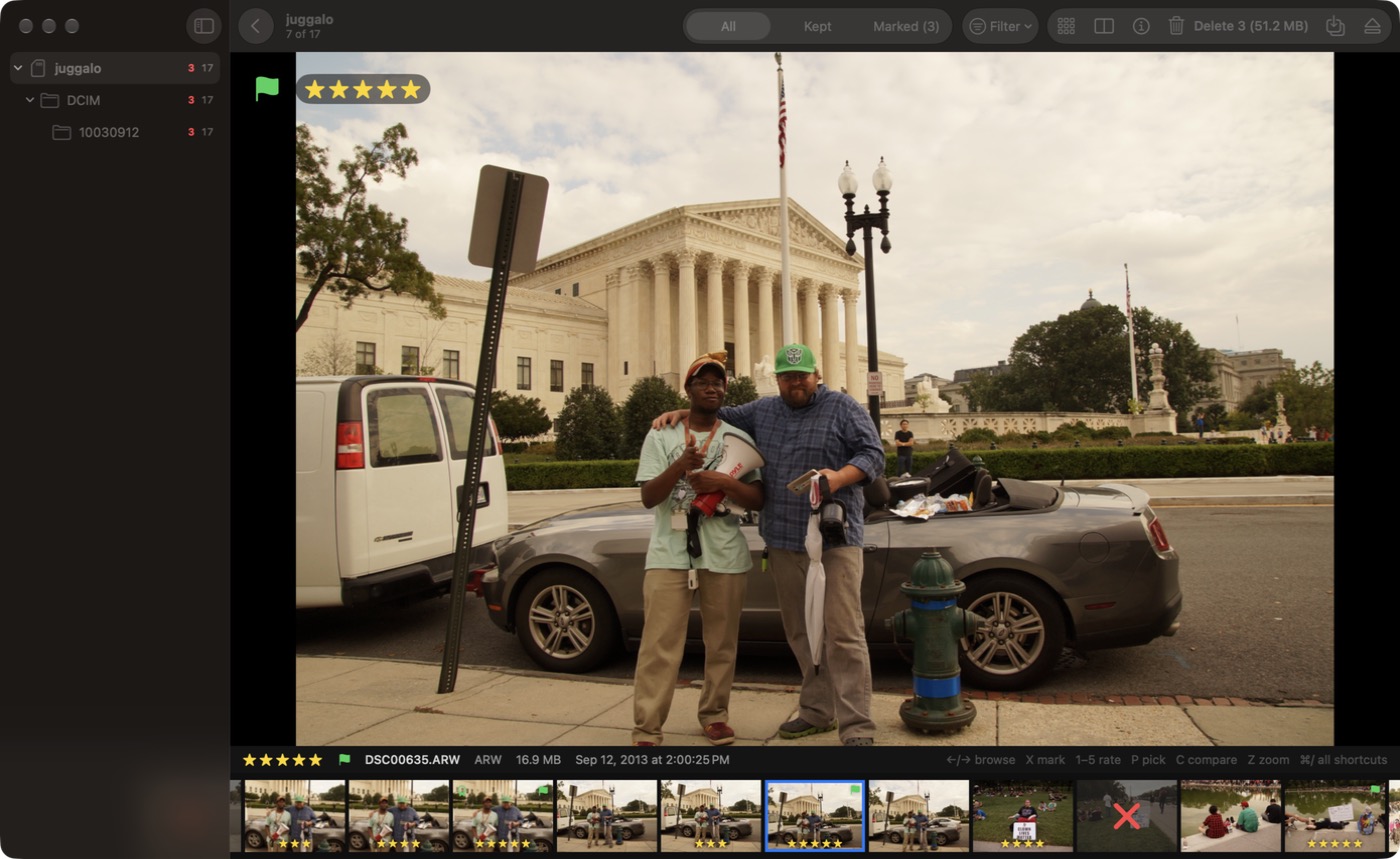
← and → to move, Z or a click to zoom to 100% and check focus.
Press X on the misses
Marks are saved as you go. ⌘Z undoes. Nothing is deleted yet.
Delete them together
⌘⌫ removes every marked shot, then ⌘E ejects the card.
What it looks like
One window: the shot you're judging, and the rest of the card in a strip underneath.
What you get for free
Browsing, marking, deleting, ejecting and copying to a folder are free and stay free.
Fast on slow cards
A preview shows at once and sharpens when you stop. Culler reads ahead in the direction you're going and never floods the card with requests.
RAW and JPEG as one shot
A RAW+JPEG pair, and any sidecar files, count as one shot. Mark it once and every file goes together.
100% zoom
One key or one click shows real pixels where you clicked, to tell sharp from nearly sharp.
Video too
Clips play in place, with frame-by-frame stepping. Files your Mac can't play can still be marked.
Grid, folders and info
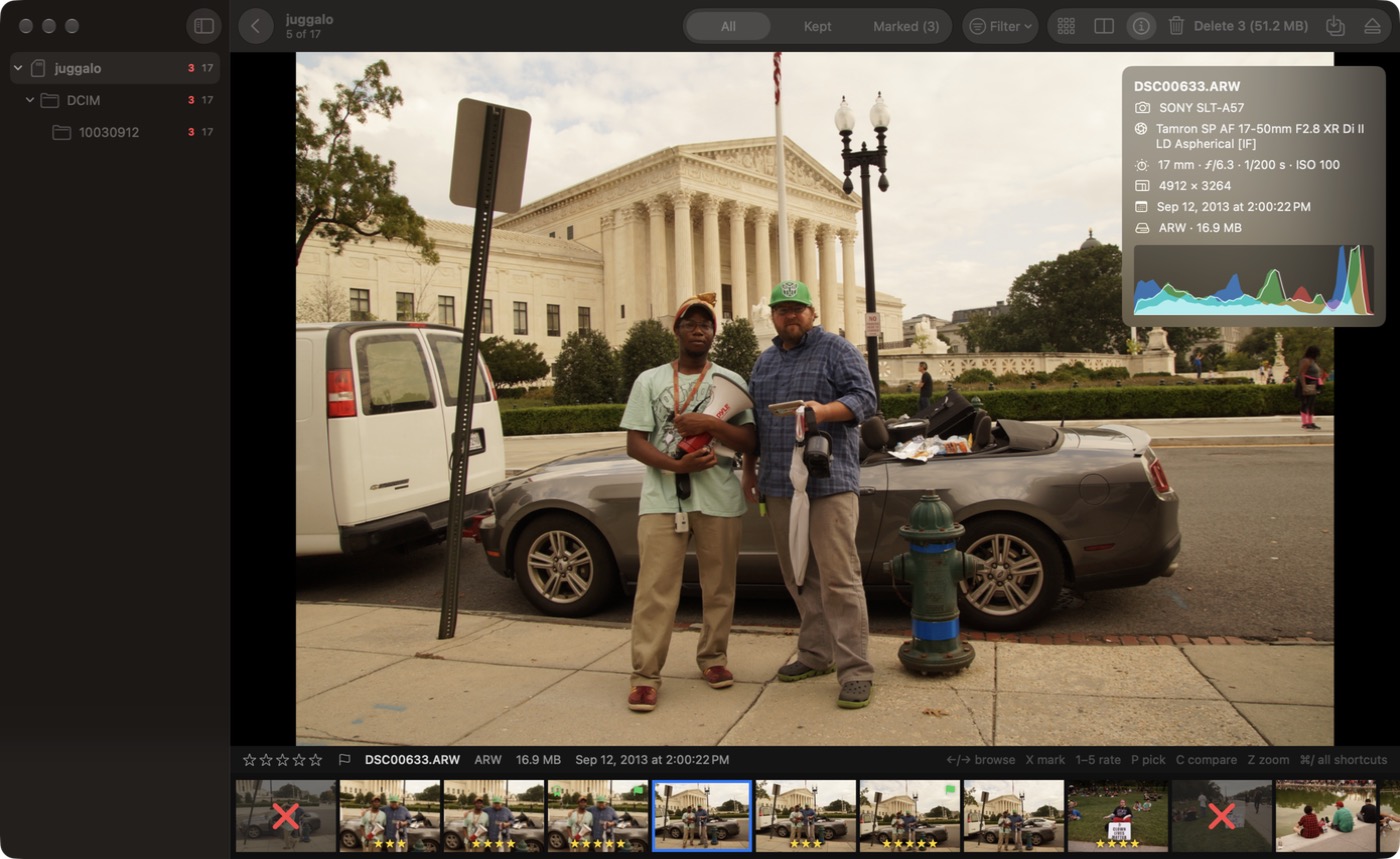
See the whole card as a grid, filter by folder, and check camera settings and a histogram for any shot.
Copies you can trust
Copy the keepers to a folder, sorted by day. Every file is read back and compared with the card before Culler calls it safe, and only then offers to free up the card.
Culler Pro
For when you want to pick the best frames as well as drop the worst. Works on all your Macs and with Family Sharing.
$9.99 one-time purchase, US price. No subscription.
Star ratings and picks
Rate with 1 to 5 and pick with P. Saved on your Mac, and optionally as XMP sidecars that Lightroom, Bridge and darktable read.
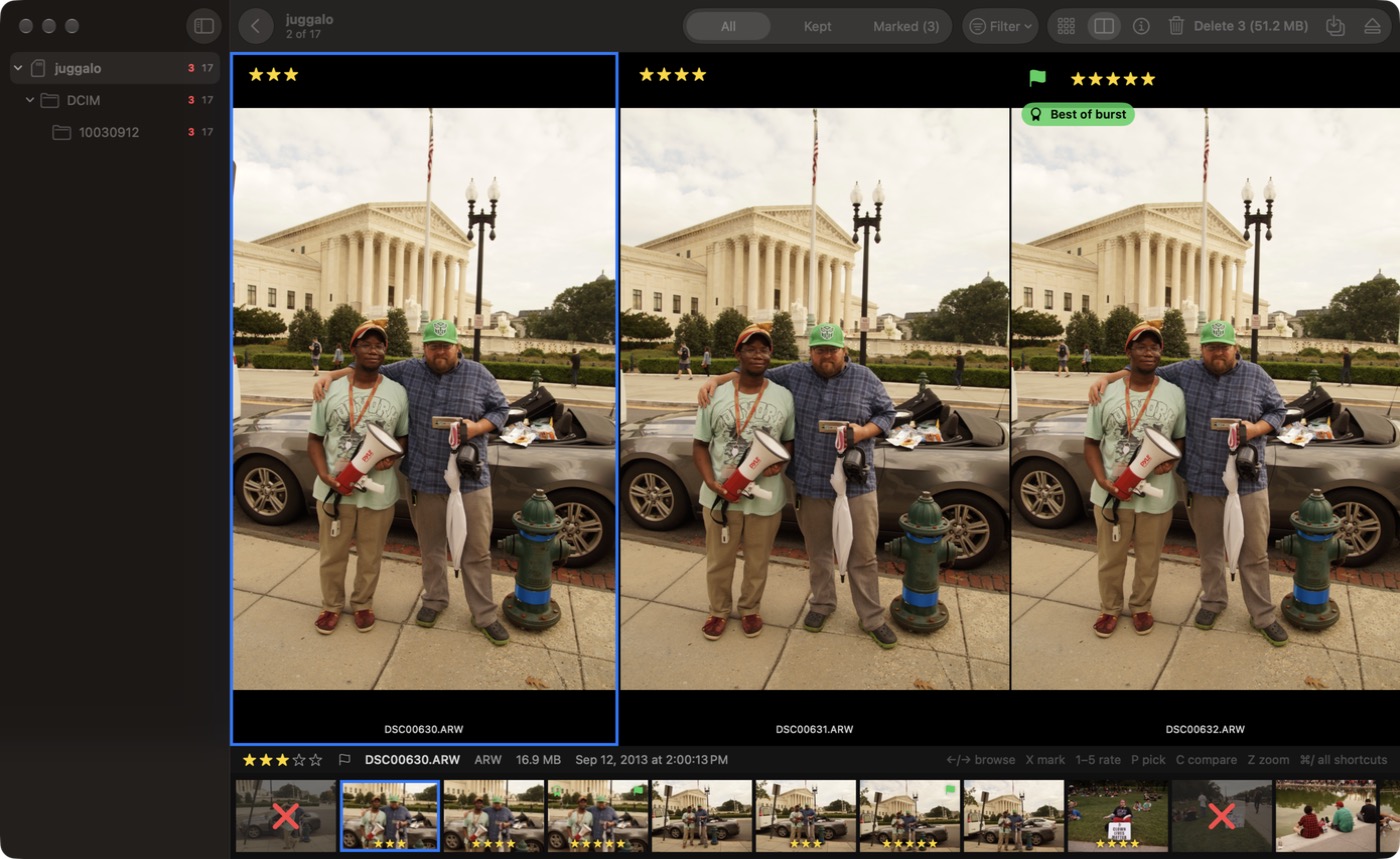
Compare side by side
Up to four shots at once, with zoom and panning in sync, so you can check the same spot in each.
Blur and closed-eye hints
Finds soft frames and closed eyes, and badges the sharpest frame of each burst. It only suggests. Nothing is marked unless you say so.
Copy to Photos
Add keepers straight to your Photos library, with a RAW+JPEG pair as one photo and your picks and five-star shots as Favorites.
Filter by rating and picks
Show only three stars and up, only your picks, or only the suggested rejects.
Rename, organise and eject
Copies named like 2026-10-25_IMG_8511, folders by day or month, and the card ejects itself once every copy is checked.
Right-click menus
Rate, pick, mark, compare and show in Finder from any thumbnail.
Full-screen video
Press F and a clip fills the display. The usual keys still browse, mark and rate.
Your photos stay on your Mac
Culler has no account, no analytics and no ads. The app isn't allowed to make network connections of its own. The only thing that goes online is the purchase, which Apple handles.
- Blur and closed-eye checks run on your Mac. No photo is uploaded, and no one is identified.
- Nothing is written to your card unless you delete shots or turn on sidecars yourself.
- Culler can add to your Photos library, but it can't see what is in it.
- A locked card is opened read-only, and Culler says so.
Questions
- Which files does it read?
- JPEG, HEIC, PNG and TIFF photos; RAW files from the cameras macOS supports, including CR2, CR3, NEF, ARW, RAF, ORF, RW2 and DNG; and MP4 and MOV video. AVCHD (MTS) and MKV clips are listed and can be marked, but macOS can't play them.
- Does it change my card?
- Only when you delete. Ratings, picks and marks are kept on your Mac. XMP sidecars are written to the card only if you turn that setting on.
- Can I get deleted shots back?
- Choose "Move to Trash" and they stay in the card's hidden Trash until you empty it. "Delete Now" frees the space at once and can't be undone.
- Do my ratings show up in Lightroom?
- With Pro, turn on XMP sidecars, either on the card or next to your copies. Lightroom reads sidecars for RAW files, not for JPEGs.
- Is the Pro upgrade a subscription?
- No. It is a single purchase through the Mac App Store, and Restore Purchases brings it back on another Mac.